Higher FPS. Smoother 1% lows. Your game runs alone.
The Windows 11 game booster that debloats your PC for every match, applies 354 system tweaks and benchmarks the gain on your own rig. One click reverts it all.
Most of your frame time goes to background.
Updates, indexers, launchers and tray apps share your CPU with the match. Game Boost stops what the game does not need, for as long as you play.
Every match, your game fights everything else on your PC for the same processor.
Game Boost kills every app and service your game does not need, for the whole match.
Your CPU and GPU stop serving background load and feed the game alone.
Steadier frametimes, fewer drops. Exit the game and your PC restores itself.
Every tweak asks first.
354 Windows tweaks, each explained in plain words before you tick it, each with a backup and a one-click revert. Nothing irreversible happens without your OK.
One click. Your PC, cleared for the match.
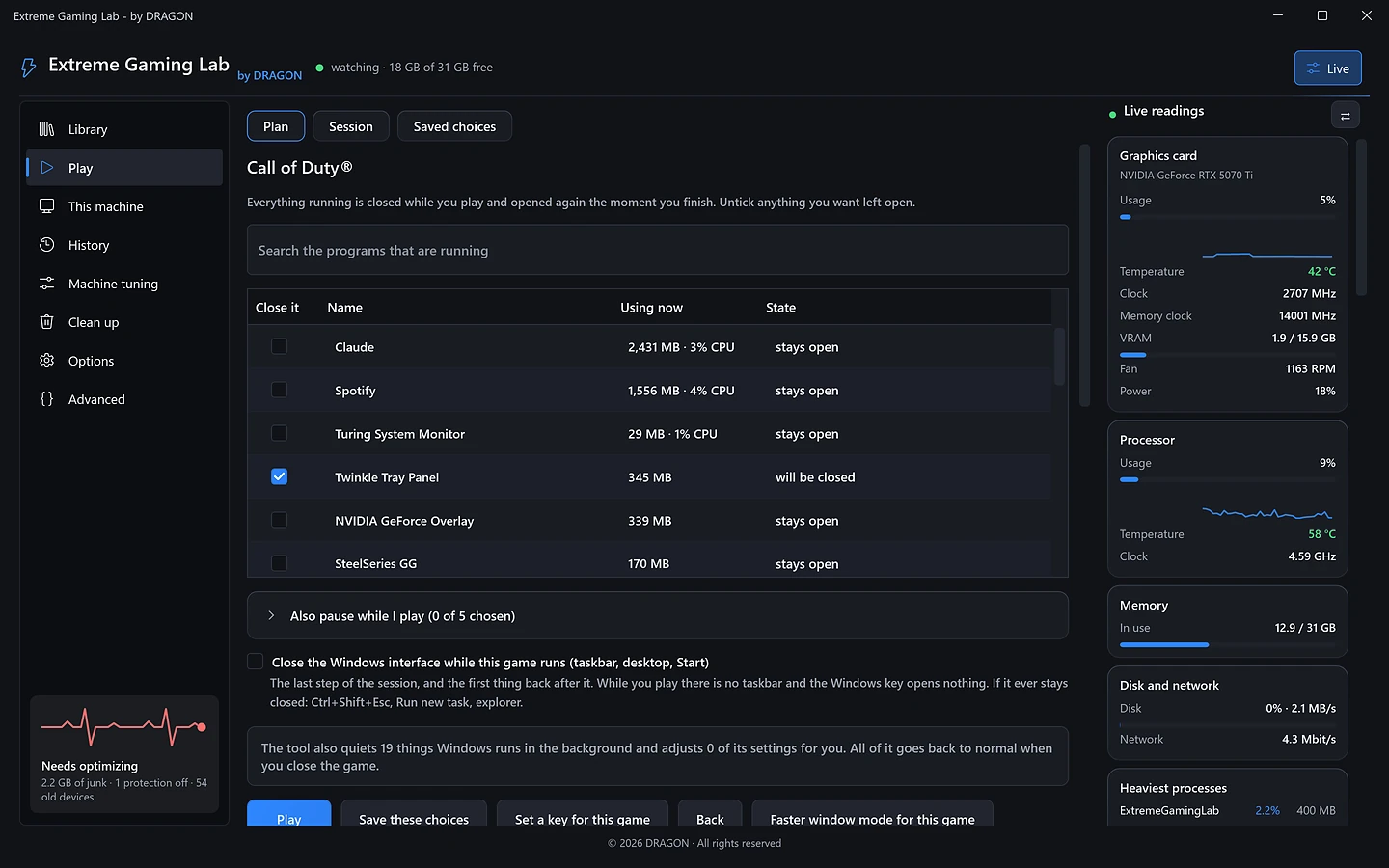
One click, every game.
Finds your games on 9 stores
Steam, Epic, Battle.net, EA, Ubisoft, GOG, Riot, Rockstar and the Microsoft Store, plus any game by its .exe. Each one keeps its own saved choices and its own hotkey.
Measured on your own PC
The built-in FPS benchmark plays the same spot with and without Game Boost, round after round. Our best run, Modern Warfare 4 on our test PC:
A match, seen from inside the tool.
Our final test session on Call of Duty, read back from the tool's own journal.
the longest single frame in the run
every service and app back on exit, journal clean
Numbers we did not have to explain away.
Measured on our test PC and read back from the tool. Gains depend on your machine; the built-in benchmark tests yours.
in 30 days, 27 cleanups
differences left after one click
Modern Warfare 4, best run
pass before every build
68 kinds of junk, gigabytes back in seconds.
Shader caches, launcher leftovers, old updates and logs. Every kind shows its size first, files in use are skipped, and your saves and passwords are never touched.
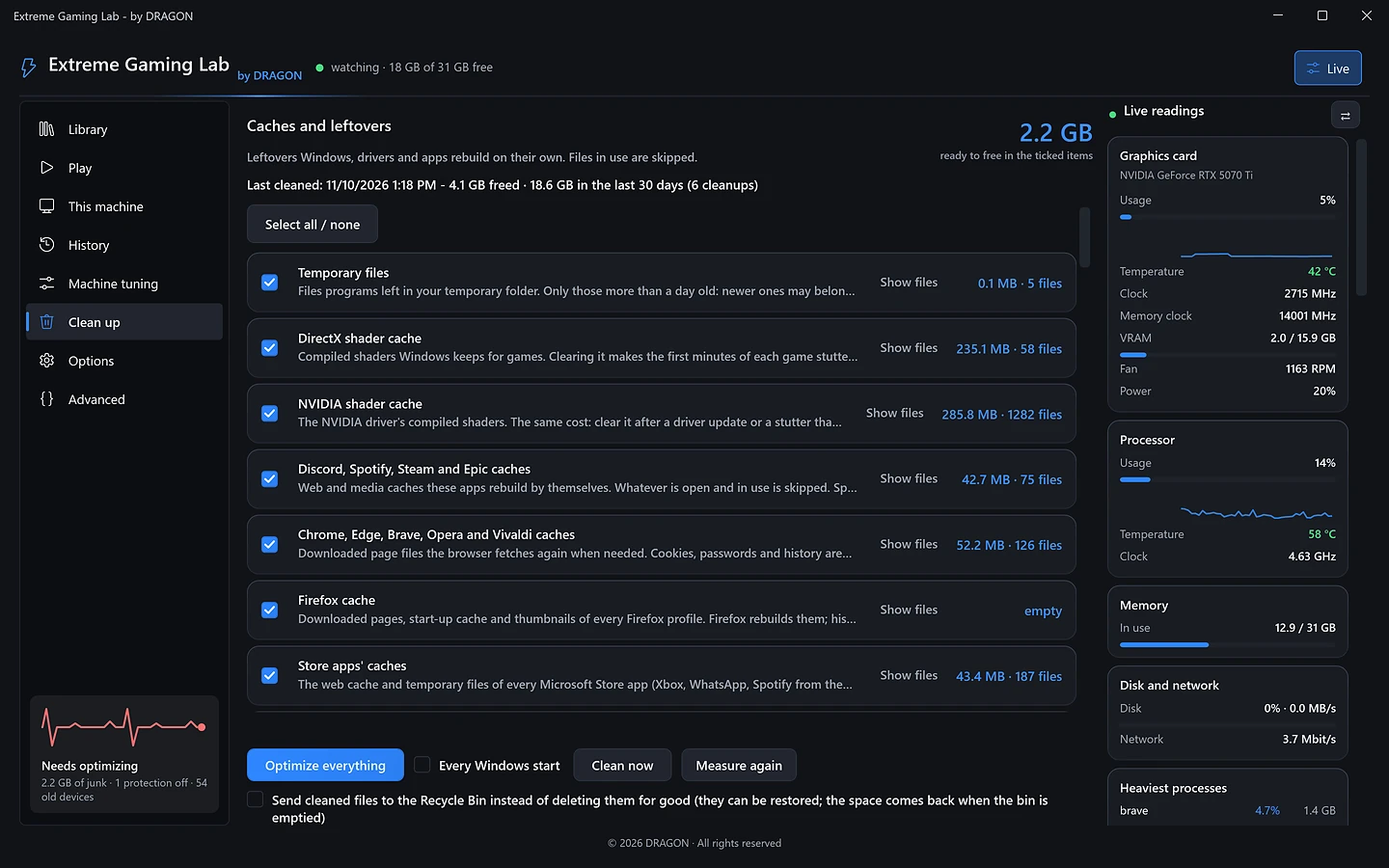
Every kind shows how much it frees before anything is deleted. You tick what goes.
Skipped, never forced. A running game or launcher keeps its cache.
Recycle Bin, cookies and event logs can't be restored, so they stay unticked and ask first.
15.5 GB back in 30 days of normal use.
Asked before installing.
Is it safe with game anti-cheat?
It changes Windows, never the game. Nothing is injected into a game and no game file or in-game setting is edited.
What if a tweak breaks something?
Every change is backed up first. One click reverts it, and a session cut short by a crash is restored at your next sign-in.
Will it close Discord or my stream?
Voice chat, overlays and tools like SteelSeries Sonar or MSI Afterburner are flagged and kept. You choose what stays open.
Does it overclock?
No. Clocks, voltages and fan curves stay with the tools you already use.
What does it never delete?
Your files, game saves and browser passwords. Anything that cannot come back asks you first.
Which Windows does it need?
Windows 11 and an administrator account for the system-wide changes.
Pick the game you love most.
Install, choose the game, press Play. Quit, and your PC is back the way it was.
Download for Windows